Apr 12, 2026
The SQE2 Notion Template: A Skills-First Workspace for the Practical Stage of the SQE
Read Time
8 Min
Category
Study Strategy
Passing SQE1 requires you to know the law. Passing SQE2 requires you to use it.
That distinction matters more than most candidates realise when they start preparing for the practical stage. SQE2 is not a harder version of SQE1. It is a different kind of assessment entirely — one that tests six practical legal skills across five practice areas over five half-days of oral and written assessments. The candidates who struggle are almost always the ones who treated preparation as more of the same.
The SQE2 Notion Template is built around the structure of the actual assessment. This post explains what that means in practice.
What SQE2 Actually Tests
Before looking at the template, it is worth being precise about what SQE2 involves — because the structure of the assessment should directly shape how you prepare.
SQE2 assesses six practical legal skills:
Client interviewing and attendance note
Advocacy
Case and matter analysis
Legal research and written advice
Legal drafting
Legal writing
These skills are tested across five practice areas: Criminal Litigation, Dispute Resolution, Property Practice, Wills and Intestacy/Probate Administration and Practice, and Business Organisations, Rules and Procedures (and their corresponding black letter law subjects).
The assessment runs over five half-days — two oral and three written. In total, candidates sit four oral assessments and twelve written assessments. Ethics and professional conduct run pervasively throughout all of them, unannounced — you are expected to identify ethical issues and address them without being prompted.
What this means practically: preparation for SQE2 is not primarily about knowing more law. It is about being able to apply law within the context of specific skills, under time pressure, to a day-one solicitor standard. That requires a different kind of preparation system.
What the SQE2 Notion Template Is
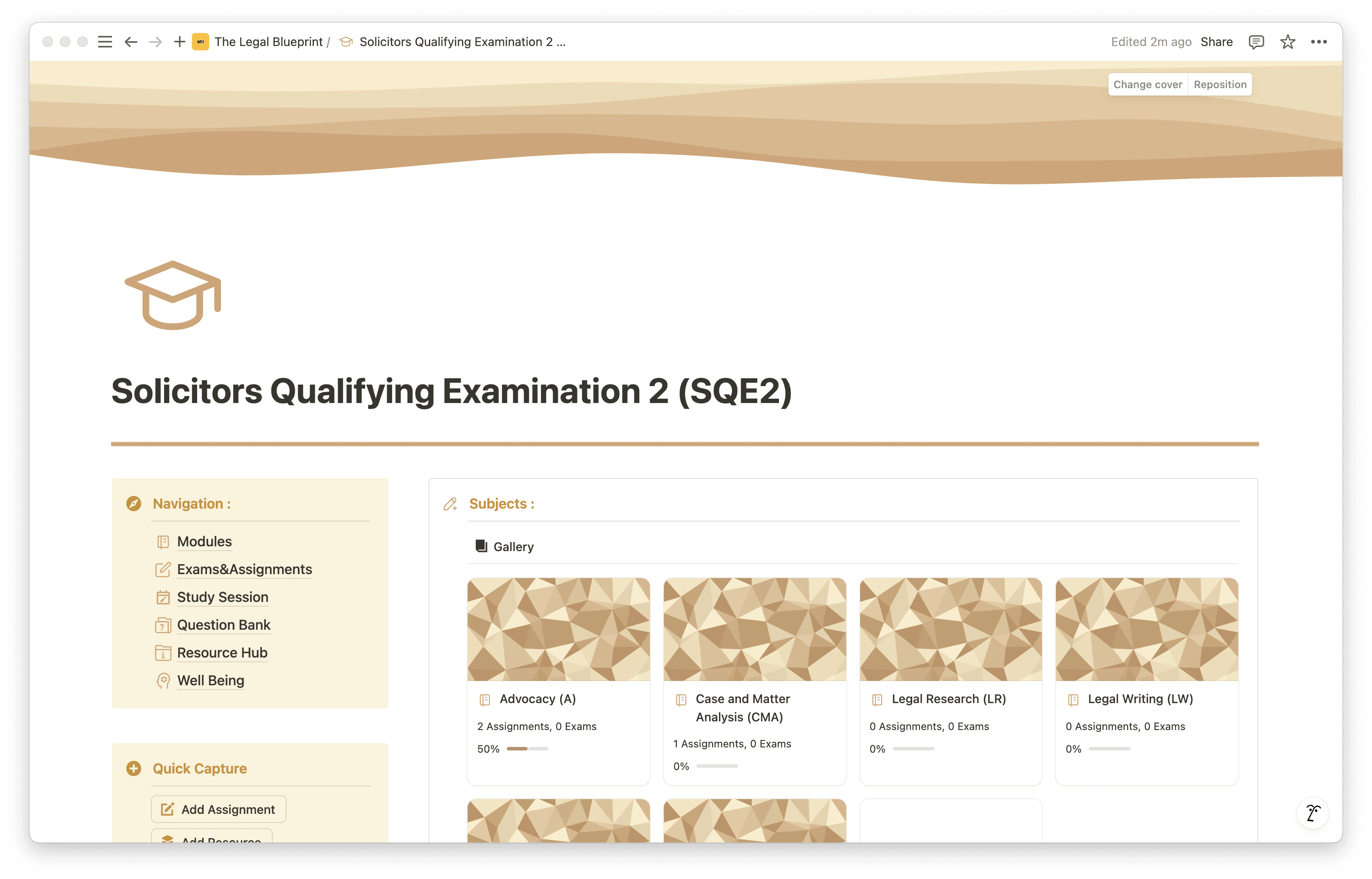
The SQE2 Notion Template is a structured digital workspace built in Notion — a free platform available on desktop and mobile — designed around the actual structure of the SQE2 assessment.
Unlike generic study planners, it is organised by skill and practice area rather than by topic. Because SQE2 is not a knowledge recall exam, the template does not ask you to track how many topics you have covered. It asks you to track how your skills are developing, where your practice is weakest, and how your preparation is distributed across the five practice areas.
It is the system that ties your preparation together — whether you are using a prep course, working through the specification independently, or a combination of both.
What's Inside the Template
Study Command Centre
The dashboard gives you a complete view of your SQE2 preparation at a glance. You can see where your time is being spent, which practice areas and skills have had the most attention, and where the gaps are. Rather than discovering imbalances in the week before your assessment, you can address them as part of your ongoing preparation.
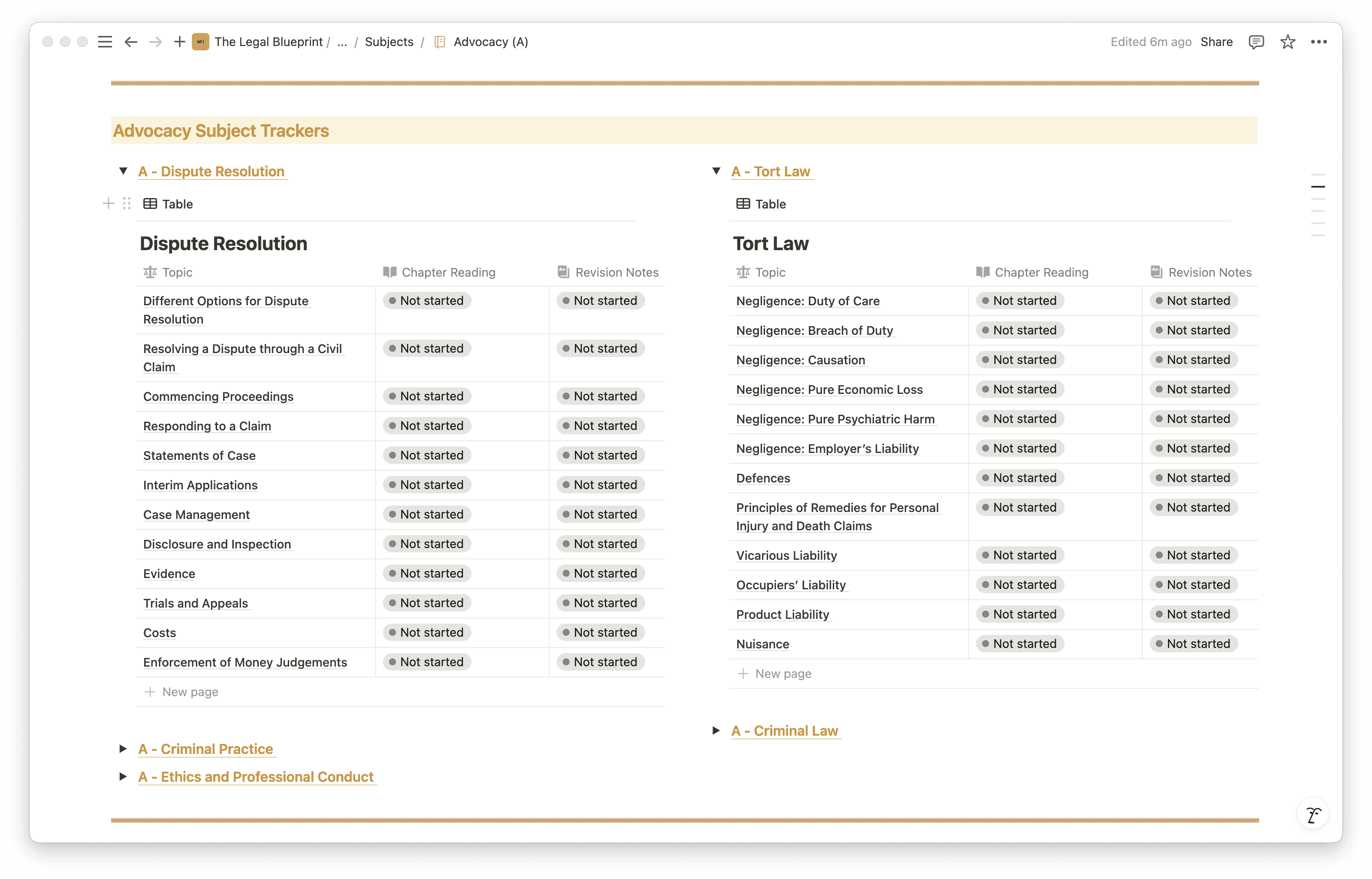
Subjects Tracker Across All Practice Areas
Each of the five practice areas has a dedicated entry in the Subjects database. You can track your progress across Criminal Litigation, Dispute Resolution, Property Practice, Wills and Intestacy/Probate, and Business Organisations — logging what you have covered, what needs revisiting, and how your preparation is distributed. Over time, this creates a clear picture of where your preparation is concentrated and surfaces the areas requiring more focused work.
Virtual Study Rooms by Practice Area
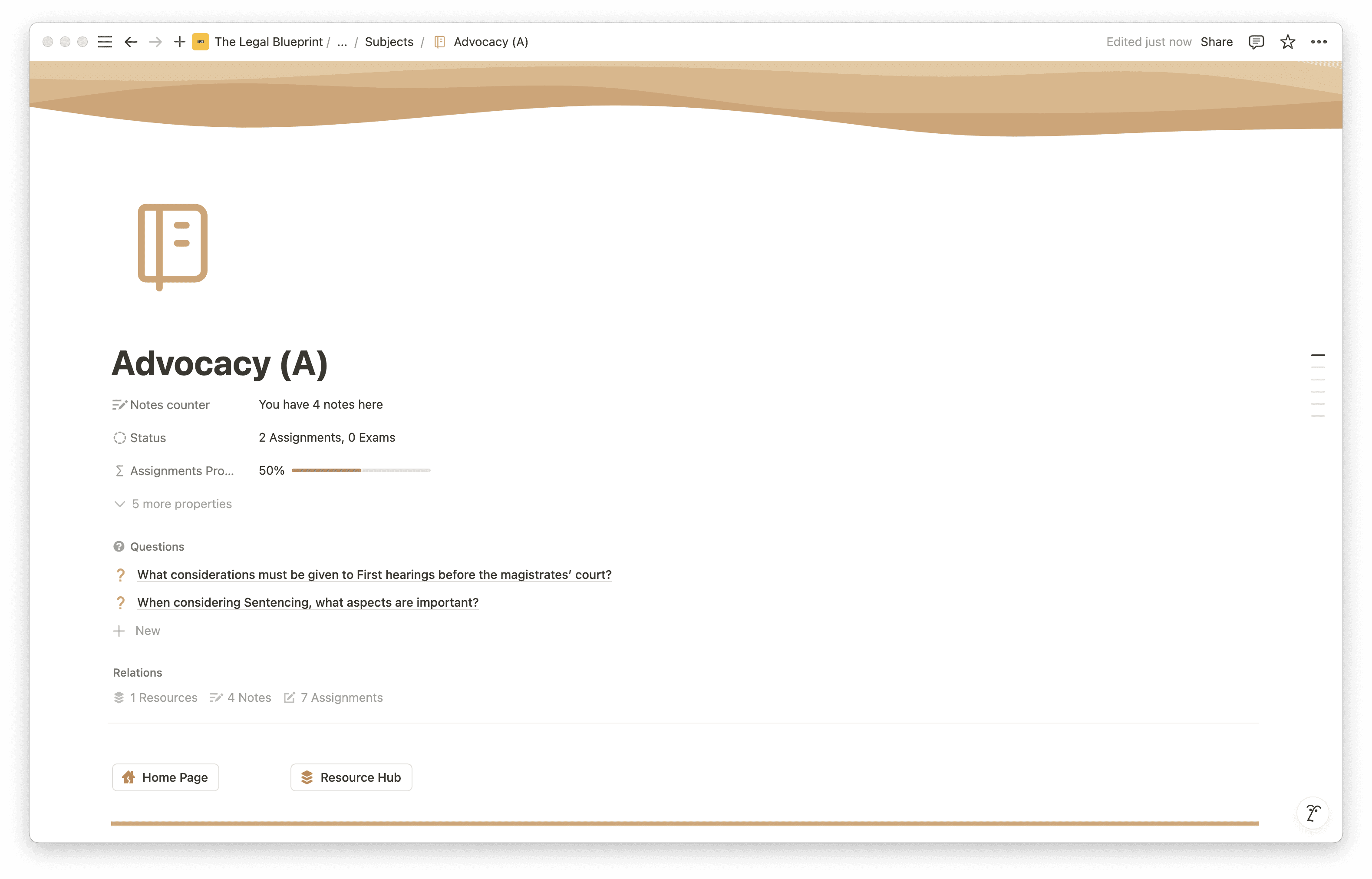
Each of the five practice areas has its own dedicated workspace within the template. Inside each one, you have space for notes, key legal principles, task lists, and resource organisation. Everything relevant to Criminal Litigation lives in one place. Everything relevant to Property Practice lives in another. When you sit down to prepare for a specific practice area, you are not hunting across documents — you open the room and start working.
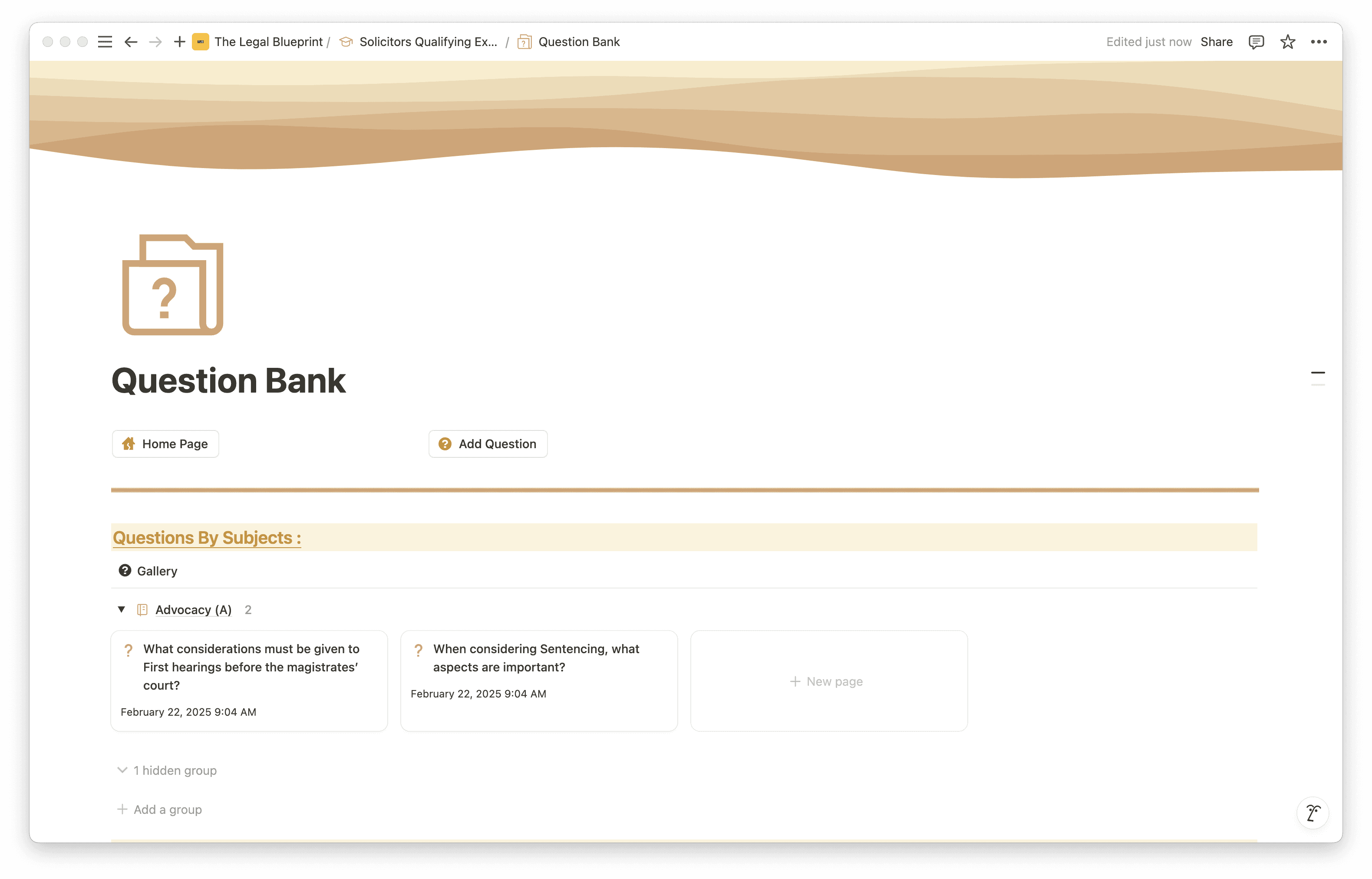
Practice Question Bank
The template includes a structured area for building and tracking your practice questions. You can log mock tasks, record your approach, note feedback, and track improvement across attempts. For a skills-based exam where repetition and refinement are the primary preparation tools, having a single place to manage this is the difference between practice that compounds and practice that gets forgotten.
Study Sessions Tracker
The template includes a real-time study sessions tracker where you start and stop sessions and log your actual time allocation per subject. Over time this builds a genuine picture of where your preparation hours are going — which is often different from where you think they're going. If you're spending 70% of your time on Dispute Resolution and 5% on Criminal Litigation, the tracker surfaces that imbalance before it becomes a problem on assessment day.
Exams and Assignments Tracker
A dedicated section for logging all upcoming assessments, mock tasks, and assignment deadlines in one place. Everything is visible at a glance — no missed deadlines, no last-minute scrambles to remember what's due and when.
Well-Being Section
SQE2 is a high-pressure, performance-based assessment — the well-being section exists because mental readiness is as important as legal knowledge. It includes space for journaling, affirmations, goal tracking, and a vision board. Structured correctly, managing your well-being during preparation is not soft — it is strategic.
Quick Capture
The template includes a Quick Capture feature on the main dashboard, allowing you to instantly log tasks, notes, questions, and resources as they arise during your preparation — without breaking your flow or losing track of important details to follow up on later.
Who Is This Template For?
The SQE2 Notion Template is built for three types of candidates:
Candidates moving directly from SQE1 who need to recalibrate their preparation approach. If you have just passed SQE1, the instinct is to carry on studying in the same way. The template gives you a new framework built around skills development rather than knowledge accumulation.
Candidates on a prep course who want a single workspace to organise everything their course produces — notes, tasks, mock feedback, practice logs — rather than keeping it all in separate documents or folders.
Candidates preparing independently who do not have a structured course providing the framework. The template provides the structure so that self-directed preparation has direction and measurable progress.
How to Get Started
Setup takes under five minutes.
Get the template via the link below
Create a free Notion account at Notion if you do not already have one
Duplicate the template into your workspace using the button in the top-right corner
Start with the command centre — get a view of the full assessment structure and identify which practice areas and skills you want to prioritise first
Open your first practice area room and begin organising your existing materials and notes within it
The template works with whatever preparation materials you are already using. It is not a replacement for substantive preparation — it is the system that makes your preparation more deliberate and easier to track.
The Difference Between Structured and Unstructured Preparation
SQE2 is sat under significant time pressure, assessed against a day-one solicitor standard, with ethics embedded throughout and no prompts to identify the issues. The candidates who perform well are not necessarily those who worked the most hours. They are the ones who practised the right skills in the right contexts, identified their weaknesses early, and went into the assessment with a clear picture of where they stood.
That clarity requires a system. The SQE2 Notion Template is that system.
Duplicate it into your workspace and begin building a skills-first preparation system from day one.